
Septic Tank Alarm: What It Means and What to Do
A septic alarm usually means high water in a monitored chamber, a pump issue, or a control problem. Learn what it indicates, how to silence and reset safely, what to stop using, and when to call septic service.
Good grain. Great questions.
A septic tank alarm is your system tapping you on the shoulder and saying, “Hey, something’s not draining or pumping like it should.” Most of the time it is not an instant disaster. It is a warning that liquid is higher than it should be somewhere in the system, or that a pump, float, or control is not cycling normally.
Let’s sort it out calmly, safely, and in the right order.
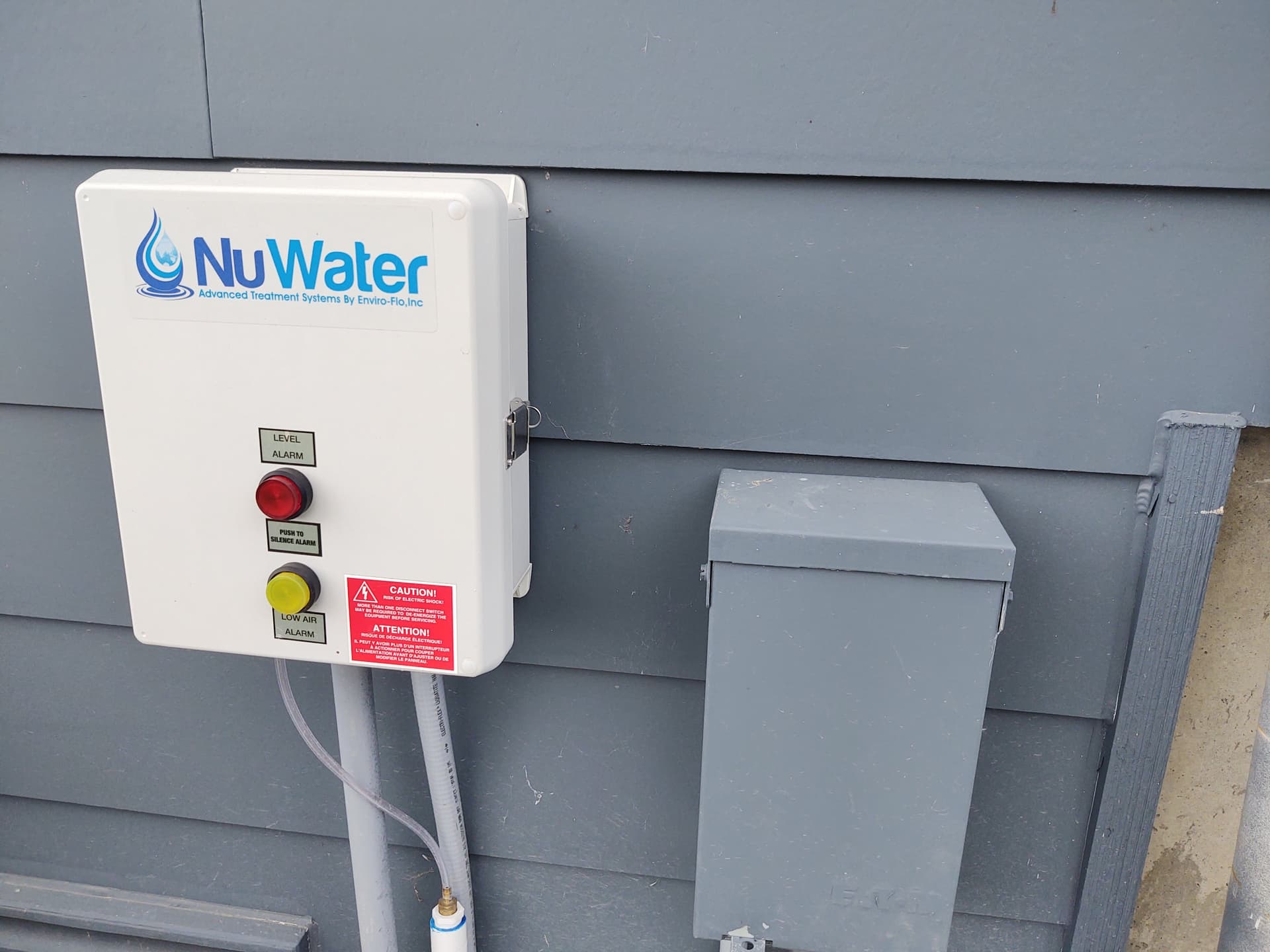
What a septic alarm usually means
Many residential systems that have an alarm are not just a simple gravity-only tank. They often include a pump tank (also called a dosing tank or lift station) and a control panel with floats that sense liquid level. When the level rises higher than it should, the alarm sounds to warn you before sewage backs up into the house or spills outside.
That said, alarms can also show up on other designs, like mound and pressure distribution systems, aerobic treatment units, and some gravity setups that still use a high-water alarm. The panel is telling you the same basic thing: something is outside normal range and needs attention.
High-water alarm
This is the big one. A high-water alarm means the liquid level in a tank, chamber, or riser being monitored has risen above the normal operating range.
- What it indicates: Wastewater is entering that part of the system faster than it is leaving it.
- Common causes: Pump failure, a tripped breaker, a stuck float, a blocked or frozen discharge line, unusually heavy water use, or downstream issues that keep the system from accepting flow.
Pump alarm or pump failure light
Some panels separate “high water” from “pump” status, and some do not. If you have a pump-specific light, it often means the panel is calling for a pump cycle but not seeing the expected result.
- What it indicates: The pump is not running, not moving enough water, or not responding to the control signal.
- Common causes: Failed pump, seized impeller, burned-out motor, bad capacitor (in some pumps), failed relay in the panel, float switch failure, or loss of power.
“Aerator” or “air pump” alarm (aerobic systems)
If you have an aerobic treatment unit, you may see an aerator alarm. That is about oxygenation and treatment performance, not just pumping.
- What it indicates: The aerator is not running or airflow is low.
- Why it matters: Poor treatment can lead to odors, poor effluent quality, and downstream problems.
If you are not sure what type of system you have, treat any alarm as “reduce water use and investigate immediately,” then call for service if you cannot confirm the cause quickly.
First response: what to do right away
When that buzzer starts hollering, your best move is to reduce the load on the system first. Think of it like a sink that is filling faster than it drains. Step one is turning down the faucet.
Safety note: Do not open septic lids or enter pump chambers. Septic tanks can contain dangerous gases and low-oxygen air. Leave any lid removal and internal work to a septic professional.
1) Cut back water use
Immediately pause anything that dumps a lot of water into the system.
- Do not run the dishwasher.
- Do not do laundry.
- Skip long showers and baths.
- Avoid running multiple sinks at once.
- Do not drain hot tubs, dehumidifiers, water softener backwash, or sump pumps into the septic system.
Toilet rule of thumb: Keep flushing to an absolute minimum until the cause is known. One extra surge of water can turn a warning into a backup.
2) Check for indoor warning signs
- Gurgling drains
- Slow drains throughout the house
- Sewage smell near drains
- Water backing up in a shower or tub when a toilet is flushed
If you have active backups, stop water use completely and call for service.
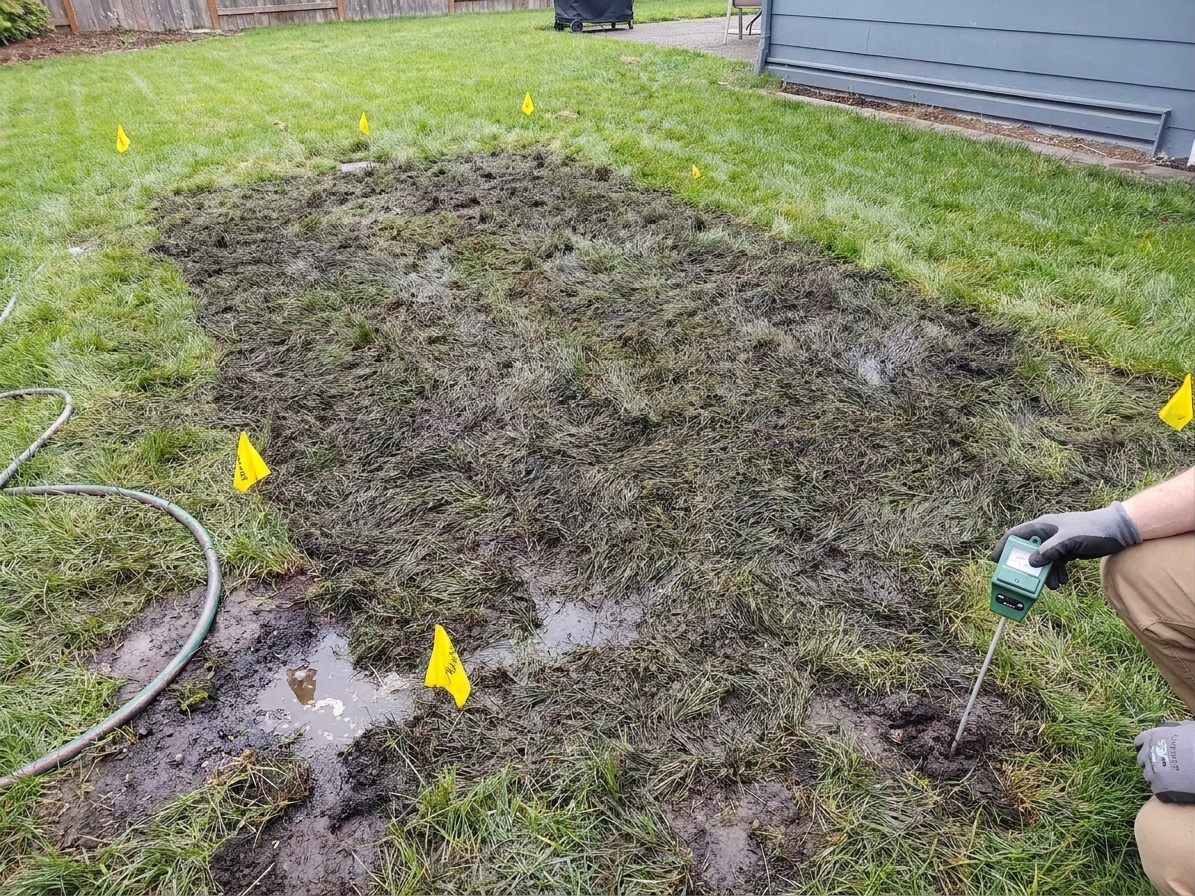
3) Walk the yard
Without opening anything, take a lap outside.
- Look for soggy soil, standing water, or sewage odor near the tank area, pump tank, or drain field.
- In cold climates, look for unusually snow-free or warm strips over the drain field.
How to silence the alarm safely
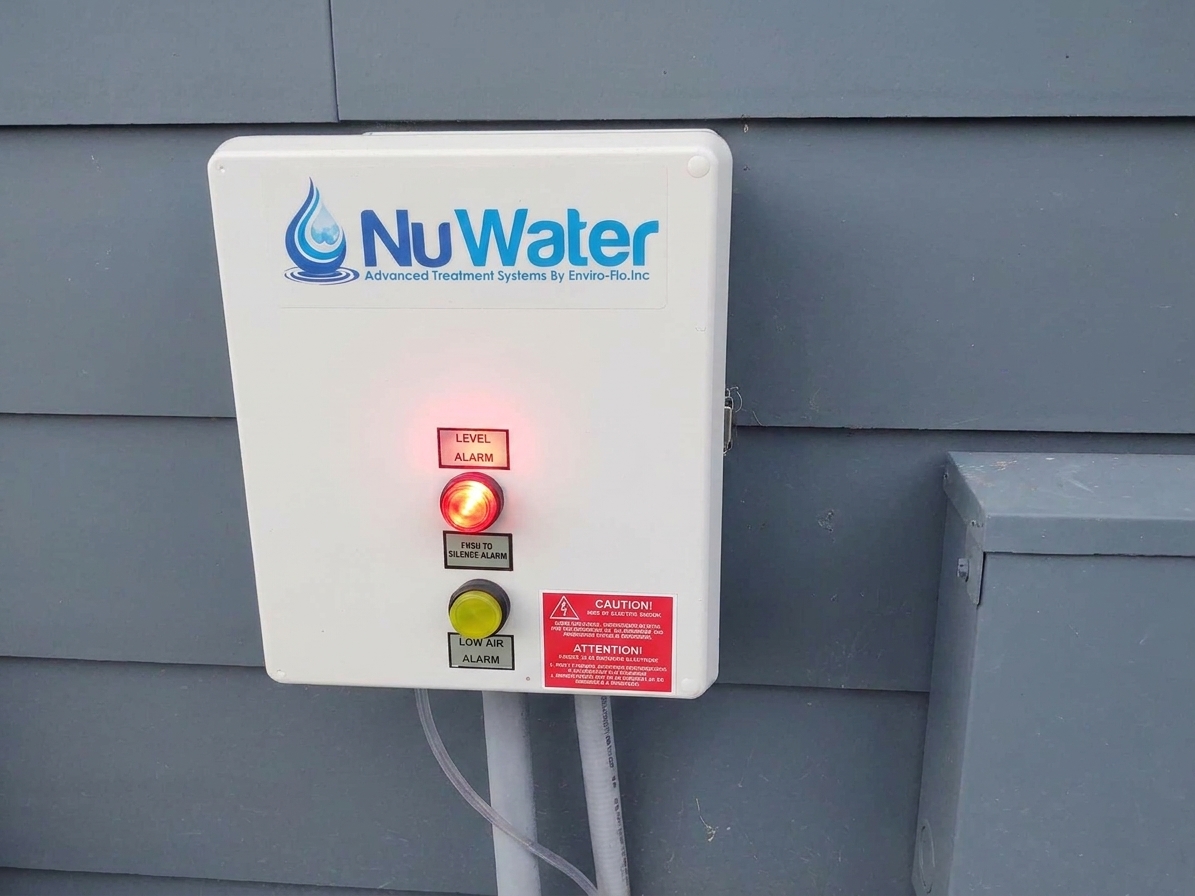
The silence button is there for your sanity, not to fix the problem. It usually silences the buzzer for a set time while the warning light stays on.
Silencing steps
- Go to the alarm panel. It is often in a basement, garage, utility room, or on an exterior wall.
- Press “Silence,” “Mute,” or “Alarm Reset.” Use the labeled button. Do not start flipping switches randomly.
- Do not use “Test” as a fix. If your panel has a Test button, it is meant to verify the alarm horn and light, not clear the condition.
- Confirm what stayed on. Usually the light remains lit to show the alarm condition still exists.
If the buzzer returns quickly, treat it as urgent. Keep water use near zero and move to the next section.
How to reset the alarm safely
Resetting should only happen after the condition is corrected, or after you have identified a simple cause like a tripped breaker that you can safely restore. Also note that some alarms are latched and will not fully clear until the liquid level drops back into the normal range.
Before you reset, do these checks
Check power first
- Look for a tripped breaker labeled septic, effluent pump, lift station, or similar.
- Look for a GFCI that may have tripped if the pump circuit is protected that way.
- Check nearby outlets only if you know the pump plugs in and you can access it safely without opening lids.
If the breaker trips again immediately, stop. Leave it off and call for service. Repeated breaker resets can overheat wiring, stress a failing motor, and it usually points to a short, failed pump, or water intrusion that needs real repair.
Check the panel switches
Some panels have a three-position switch like Off / Auto / Hand or Off / Auto / Manual. Unless your service provider tells you otherwise, keep it in Auto. Running in Hand can mask the issue or run the pump dry if the floats are not reading correctly.
Reset steps
- Keep water use minimized.
- After restoring power (if it was off), press the reset button once.
- Wait a few minutes. Some systems will initiate a pump cycle shortly after power returns if the level is high.
- If the alarm returns, do not keep resetting. Call for service.
Do not “fix” a septic alarm by disabling it. Pulling fuses, leaving breakers off, or cutting power to silence the sound can lead to a sewage backup with no warning.
What to stop using until it’s resolved
If you do only one thing, do this: send less water into the system. The alarm is telling you the system cannot keep up right now.
Stop for now
- Laundry
- Dishwasher
- Long showers and baths
- Multiple toilet flushes in a row
- Running a tub to “test” drains
Avoid sending anything unusual
- Grease and oils
- Wipes, even “flushable” ones
- Hygiene products, paper towels, diapers
- Harsh chemicals in big doses (bleach dumps, drain openers)
Those do not cause every alarm, but during an alarm event they make clogs and pump stress more likely.
What causes alarms most often
Different systems fail in different ways, but the usual suspects are pretty consistent.
Pump is not running
- Tripped breaker or GFCI
- Burned-out pump motor
- Failed relay or control component
Float problem
Floats tell the panel when to turn the pump on and off and when to trigger the high-water alarm. A float can stick due to grease buildup, tangled cords, or mechanical failure.
Blocked line or frozen discharge
If the pump runs but water cannot leave the tank, the level stays high. In winter, discharge lines can freeze. In any season, roots or debris can clog a line.
Effluent filter clog
Many septic tanks have an effluent filter at the outlet baffle. When it clogs, it restricts flow leaving the septic tank.
- In a gravity system, that can show up as slow drains, gurgling, and even a backup because the tank cannot send effluent to the drain field like it should.
- In a pump-based system, an effluent filter clog can prevent wastewater from reaching the pump tank at a normal rate, or it can cause upstream plumbing symptoms. It is not the most common reason for a pump tank high-water alarm, but it can be part of the bigger picture depending on how your system is laid out.
Cleaning an effluent filter involves opening the tank and should be handled carefully. If you do not already have a safe routine with protective gear and a plan, this is a good moment to call a pro.
Too much water too fast
Even a healthy system can complain if you hit it with a big surge. Multiple loads of laundry, guests, a running toilet, or a leaky faucet can add up quickly.
When to call a septic service
Some alarm situations are “reduce water and schedule service soon.” Others are “call now.” Use this list as your sorting bin.
Call promptly if any of these are true
- The alarm comes back after you silenced it.
- The breaker will not stay on.
- You have slow drains throughout the home or gurgling plus the alarm.
- You see wet ground or smell sewage outside near the tank or drain field.
- You recently had flooding, heavy rain, or a known high groundwater issue.
- The system is an aerobic unit showing an aerator alarm.
Call emergency service if you have a backup
Sewage backing up into tubs, showers, or floor drains is an emergency. Stop water use, keep people and pets away from contaminated areas, and call for help. If you have to pass through the area, wear gloves and keep any HVAC return vents in that zone from pulling contaminated air through the house until things are cleaned up.
What to tell the septic technician
A clear description saves time and often saves money. When you call, share:
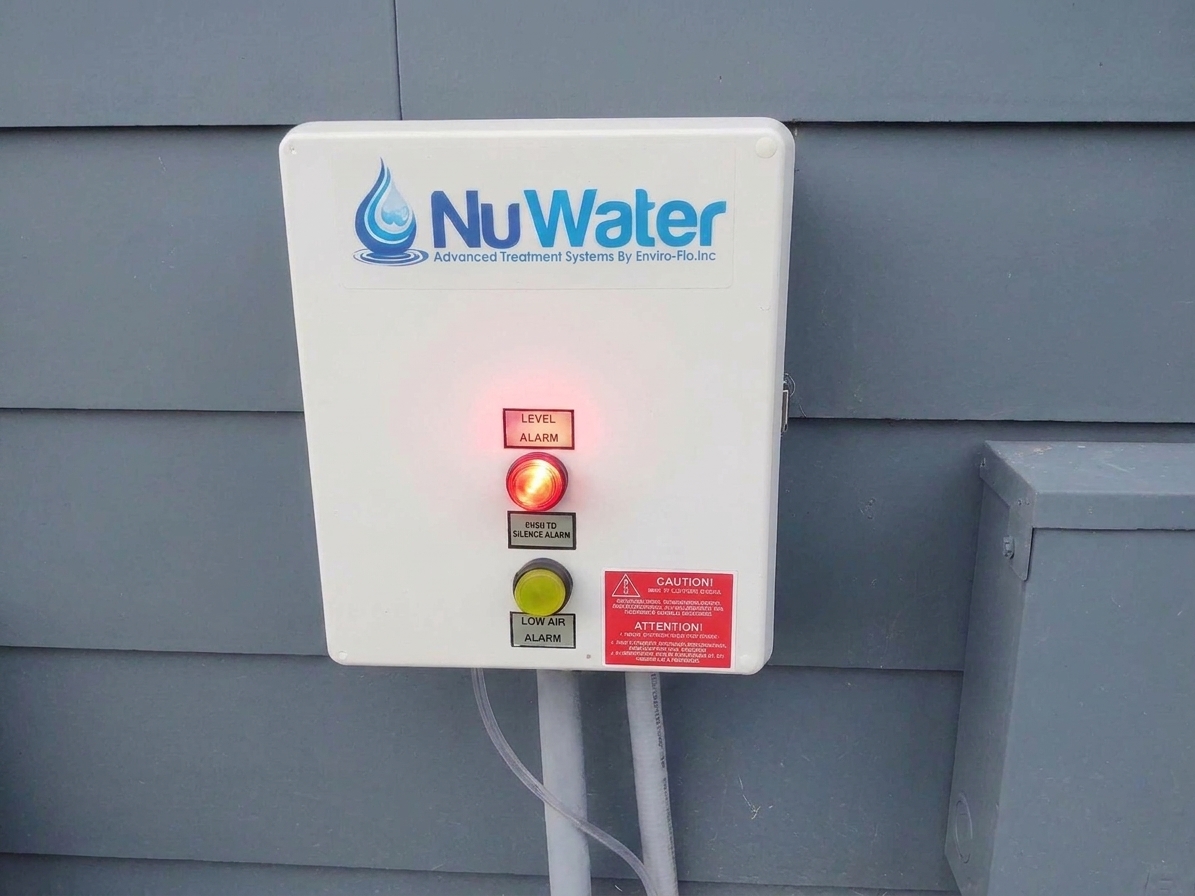
- What lights are on and whether the buzzer is sounding
- Any recent changes like heavy water use, guests, a new appliance, or a power outage
- Any indoor symptoms like slow drains or odors
- Any outdoor symptoms like soggy spots
- Approximate time the alarm started
If you can safely take a photo of the panel lights without revealing personal info, that is often helpful.
FAQ
Is a septic alarm always “tank is full”?
No. A standard gravity septic tank can be overdue for pumping without ever having an alarm. An alarm usually points to a high liquid level in the chamber being monitored or a pump or control problem. Pumping might be part of the solution, but it is not the automatic answer.
Can I keep using water if I only flush once in a while?
Sometimes you can, but treat it like you are on a tight budget. Every gallon you send in has to go somewhere. If the level is already high, even “just a little” can push it to a backup. When in doubt, stop nonessential use and call.
Will the alarm stop on its own?
If the issue is temporary, like a brief power outage that returns and the pump catches up, the alarm may clear after the level drops. Some panels also stay lit until the level is back to normal, even after you press reset. But if the alarm persists more than a short window, assume it will not fix itself and get service scheduled.
Should I open the lids and check the floats?
No. It is not a good DIY check unless you are trained and equipped. Septic gases and confined spaces are a real hazard, and open lids are dangerous around kids and pets. Let a septic professional handle internal inspections.
Knob’s quick checklist
- Silence the buzzer so you can think, but do not ignore the warning light.
- Cut water use immediately, especially laundry and showers.
- Check power at the breaker or GFCI if accessible and clearly labeled.
- Do not use Test as a workaround and do not keep resetting if the alarm returns.
- Call septic service if the condition persists, you see wet ground, or you have any backup inside.
That alarm is not here to ruin your day. It is here to keep a small problem from becoming a big, messy one. Turn down the water, read the panel, and bring in the right help when the system asks for it.