A step-by-step troubleshooting list for a garage door that won’t open, including quick fixes for power, sensors (closing issues), remotes, track obstructio...
The Homeroom Fix
September 27, 2026
•
By Marcus Delgado
Garage Door Opener Not Responding? 7 Checks to Try First
Before you schedule service, run through these 7 quick, homeowner-safe checks for a garage door opener that won’t respond: power, remote, keypad, sensors, lock mode, and basic limit settings.

Marcus Delgado
Marcus Delgado is a former residential carpenter and lifelong DIY enthusiast who believes every homeowner has the power to transform their space. After a decade of swinging hammers for general contractors, he shifted gears to share practical, budget-friendly home improvement advice. When he's not renovating his own 1970s fixer-upper, you can find him hunting for salvaged wood or teaching weekend workshop classes.
When your garage door opener suddenly stops responding, it can feel like your whole day is stuck in the driveway. The good news is that many “dead opener” situations are simple fixes you can safely check in a few minutes. Start with the quick stuff first, then work your way down the list.
This guide sticks to homeowner-safe checks. If you hit anything involving high-tension springs, frayed cables, a bent track, or a door that feels unusually heavy, that is your cue to stop and call for service.
What you may want handy: a step ladder, a soft cloth, and a fresh coin battery (often CR2032) for your remote or keypad.
Safety first (one minute)
- Keep people and pets clear of the door while you test.
- Do not touch springs or lift cables. They store a lot of energy and are not a DIY adjustment item.
- If the door is partway open and not moving, do not stand under it.
- If you need a ladder, use a stable one and do not overreach.
Check 1: Make sure the opener has power
This is one of the most common “it was working yesterday” causes, especially after storms, tripped breakers, or someone unplugging the ceiling outlet for a shop vac.
What to do
- Look for signs of life: lights on the opener housing, clicking sounds, or any LED indicators.
- Check the ceiling outlet: confirm the opener is fully plugged in.
- Test the outlet: plug in a lamp or phone charger to confirm it works.
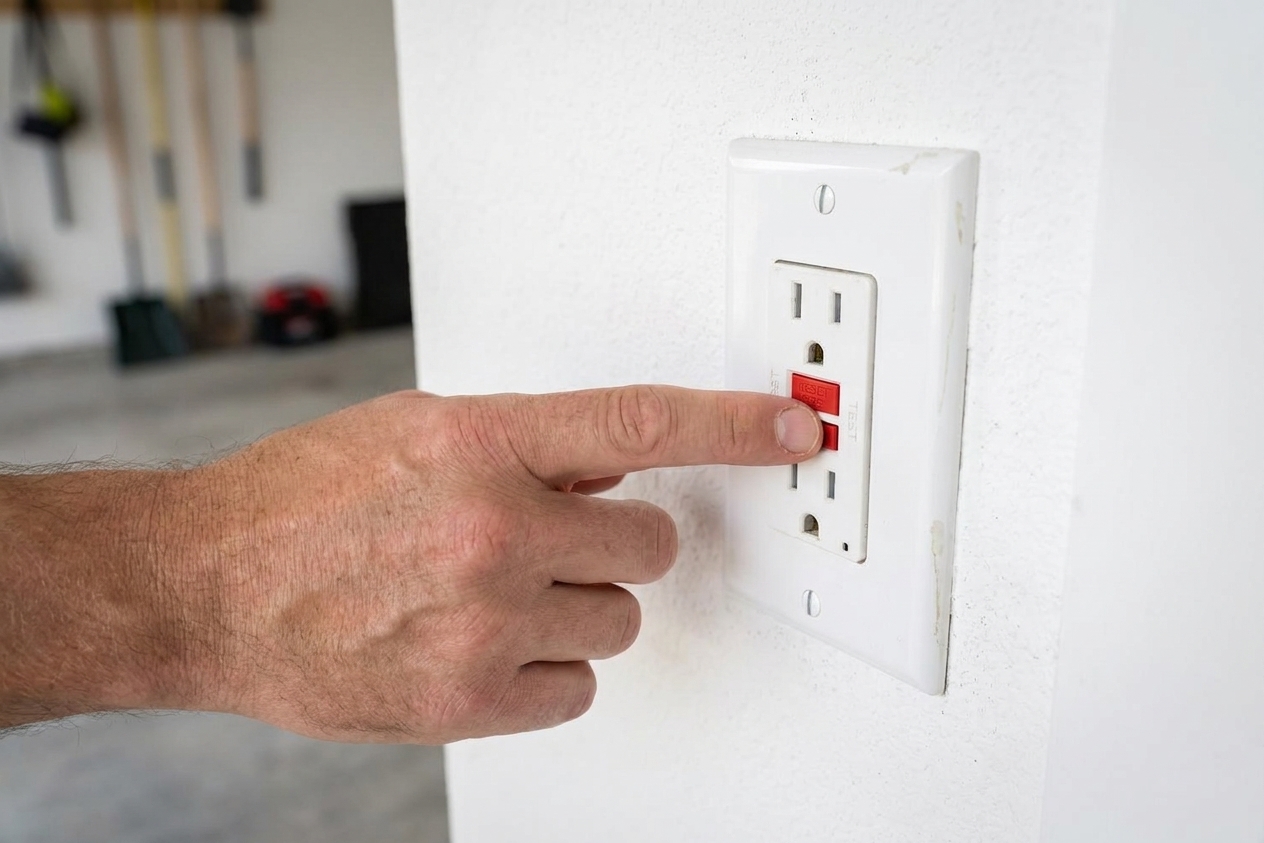
- Check the breaker or GFCI: the garage outlet may be protected by a GFCI receptacle in the garage or on another nearby outlet (sometimes in a basement or adjacent space, depending on how the home is wired). Reset it if tripped.
If the outlet is dead and resetting a GFCI or breaker does not bring it back, you likely have an electrical issue. That is a good place to stop and call an electrician or garage door service company, depending on what you find.
Check 2: Try the wall button
This is my favorite “divide and conquer” test.
- If the wall button works but the remote does not, your issue is likely the remote, keypad, lock mode, programming, or signal range.
- If the wall button does not work either, your issue is more likely power, sensors, wiring, or the opener itself.
Press and hold the wall button for 1 to 2 seconds. Listen for the opener motor. Even a hum or click is useful information.
Quick visual-only check: if the wall console does nothing, take a look at the thin low-voltage wires running to it. If they are dangling, pinched, or obviously broken, that is a clue. If you are not comfortable tightening or re-terminating wires, stop there and schedule service.
Check 3: Replace the remote battery
Remote batteries love to die at the most dramatic moment, like when it is raining sideways and you have groceries.
What to do
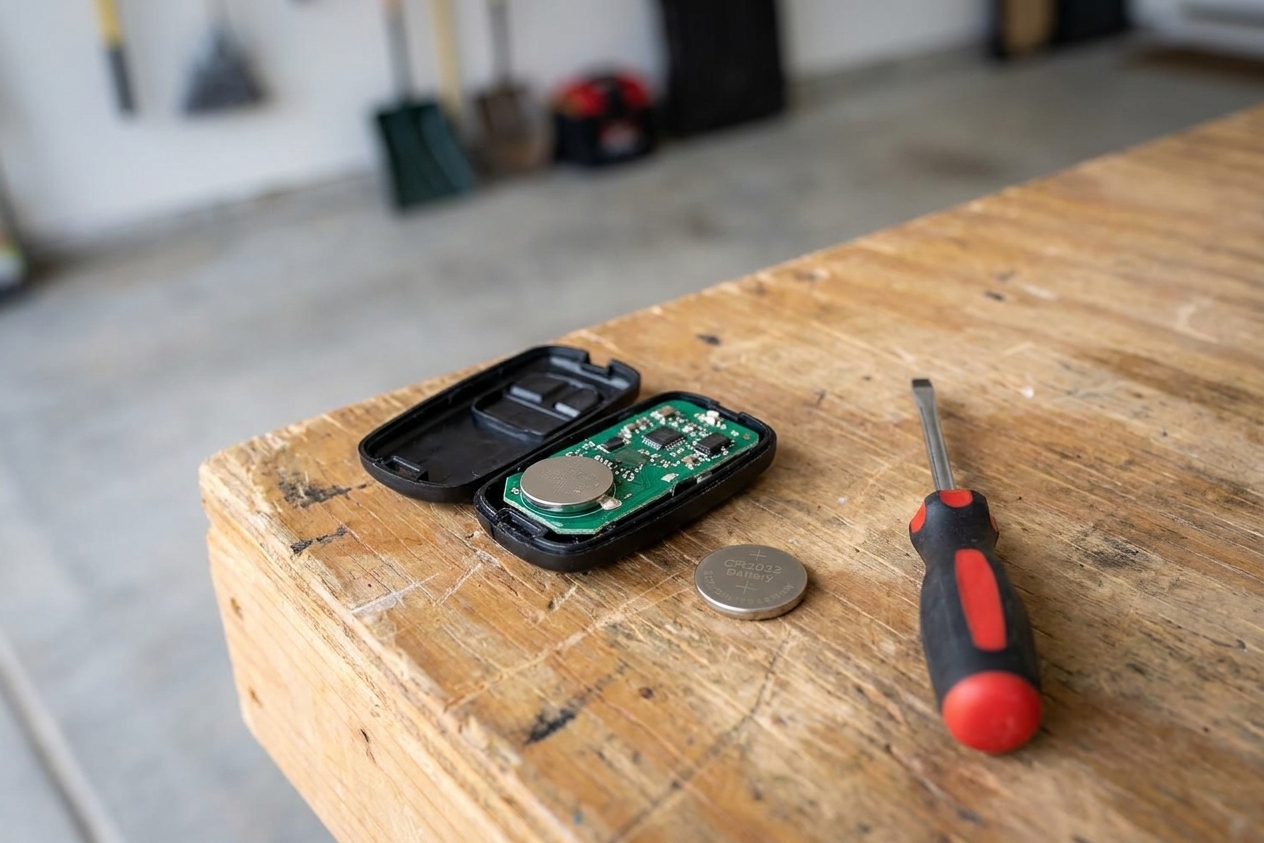
- Open the remote and replace the battery with the same type (common ones are CR2032 coin cells).
- Inspect the contacts inside the remote. If you see white or green crusty corrosion, the remote may be done for.
- If you have a second remote, test it. If one works and the other does not, you have your answer.
Check 4: Keypad not responding?
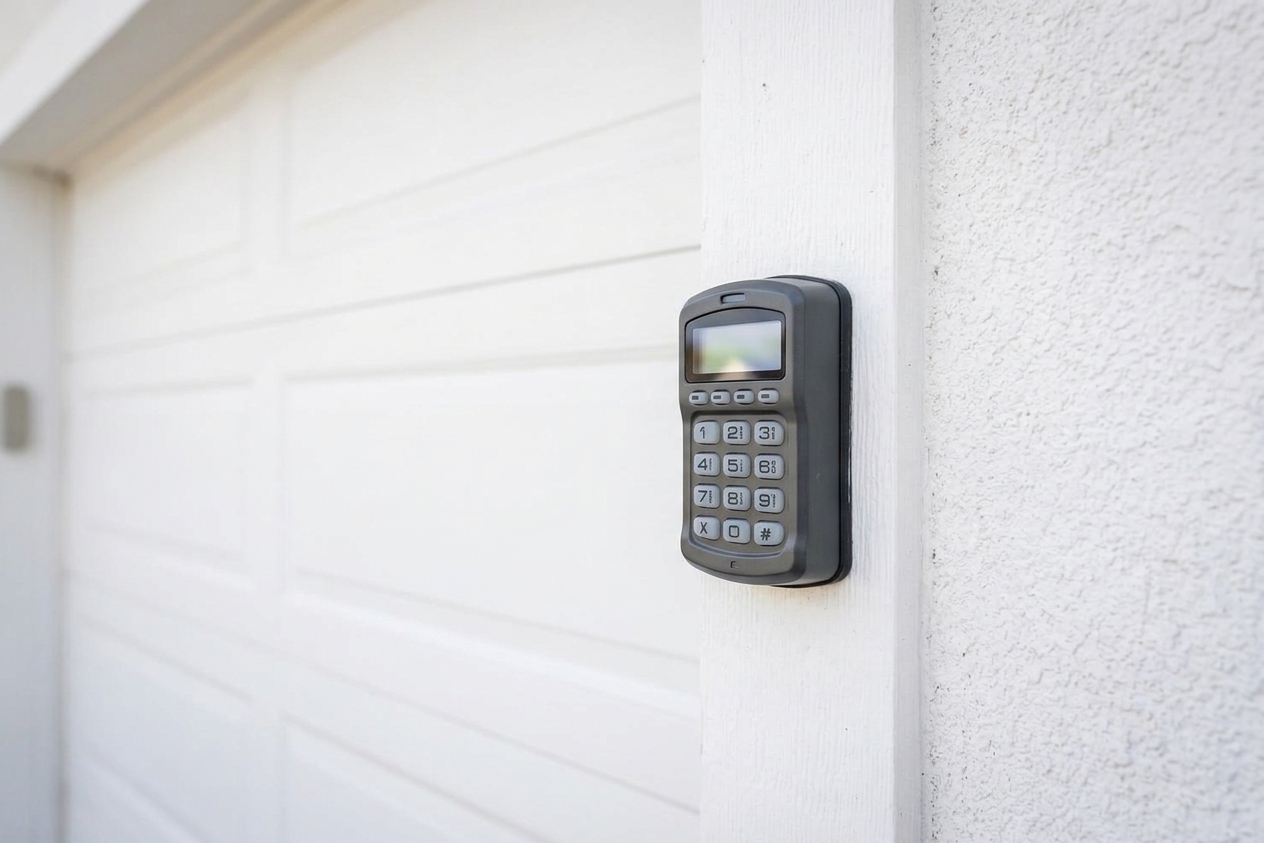
Outdoor keypads are handy, but they are also exposed to freeze-thaw weather mood swings, plus they have their own battery and settings.
Quick keypad checks
- Replace the keypad battery if it is dim, intermittent, or dead.
- Wake it up: some keypads need you to press a key to light up before entering the PIN.
- Confirm the PIN: it is easy to misremember a code you only use twice a month.
- Clean the buttons: dirt and grime can make keys stick. Use a lightly damp cloth, not a hose or pressure washer.
If the keypad lights up and beeps but still will not open the door, you may need to reprogram it to the opener. The exact steps vary by brand and model, but usually involve pressing the Learn button on the opener motor unit and then entering a sequence on the keypad within a short window, often around 30 seconds (check your manual/model label for the exact timing).
Check 5: Look for sensor issues
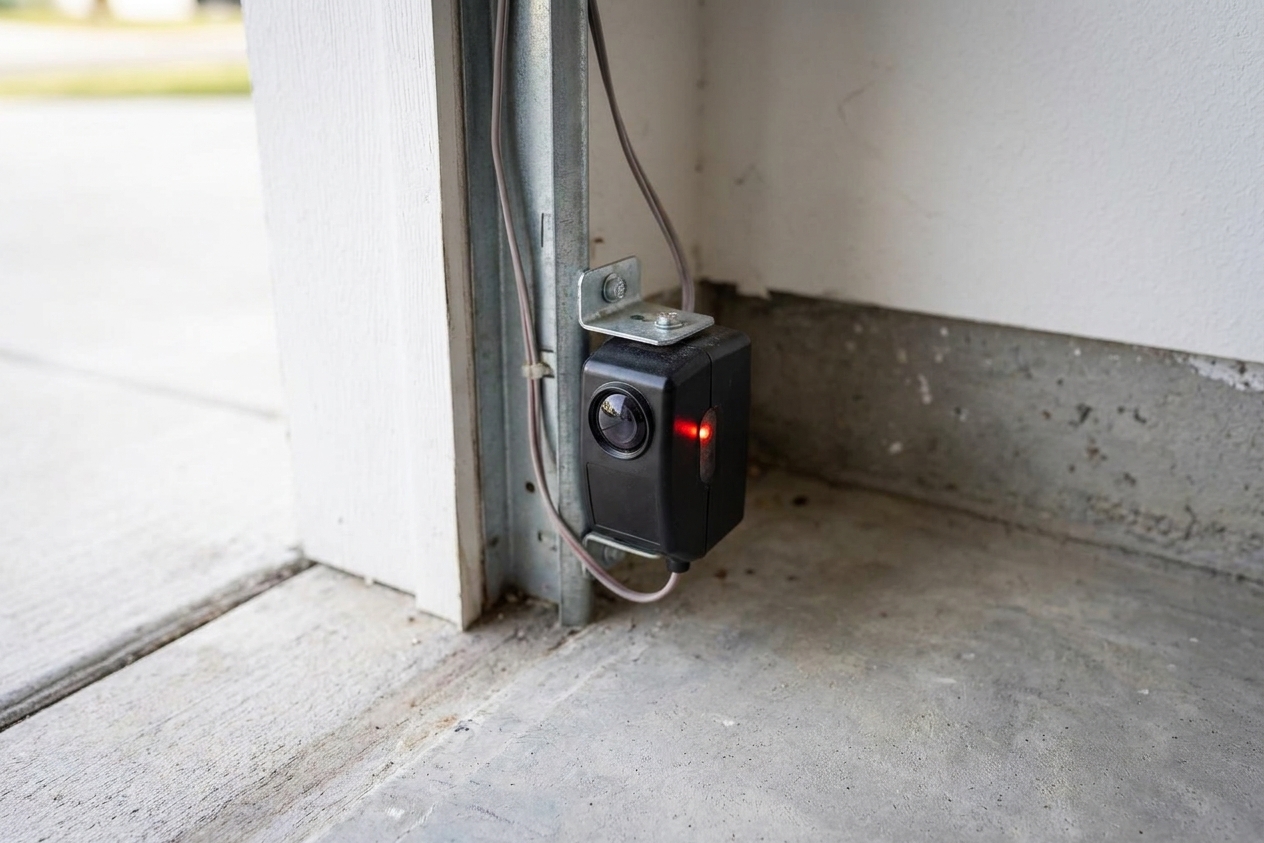
If your opener starts to close and then reverses, or it will not close at all, the photo-eye sensors are a prime suspect. They sit near the bottom of the door tracks, one on each side, and they have to “see” each other.
What to look for
- Obstructions: a shovel, bike tire, storage bin, trash bag, or even spider webs right in the sensor line.
- Dirty lenses: wipe the sensor lenses with a soft cloth.
- Alignment: if one sensor got bumped, the indicator light may blink or change color (patterns vary by manufacturer). Gently adjust until both show normal, steady status lights for your model.
- Sun glare: certain times of day can blast one sensor with sunlight. A small temporary shade (like a piece of cardboard) can help confirm the diagnosis. Do not permanently modify the setup unless the manufacturer allows it.
Important: Never bypass the safety sensors for daily use. They are there to prevent the door from closing on people, pets, and your favorite bike.
Check 6: Make sure it is not in lock mode
Many wall consoles have a “Lock” or “Vacation” feature that disables remotes and keypads. Homeowners accidentally bump it all the time, especially when cleaning or when kids discover buttons.
Signs you are in lock mode
- The wall button works, but all remotes and the keypad stop working.
- The wall console shows a lock indicator or blinking LED.
Try pressing and holding the Lock button for a few seconds (varies by model). If you are not sure, look up your wall console model number and follow its steps.
Check 7: Test the door itself
Sometimes the opener is responding, but the door is binding, frozen to the floor, or too heavy for the opener to move.
Do this test safely
- Close the door if you can.
- Important: Avoid pulling the emergency release with the door open unless the door is supported and stable. An out-of-balance door can drop fast.
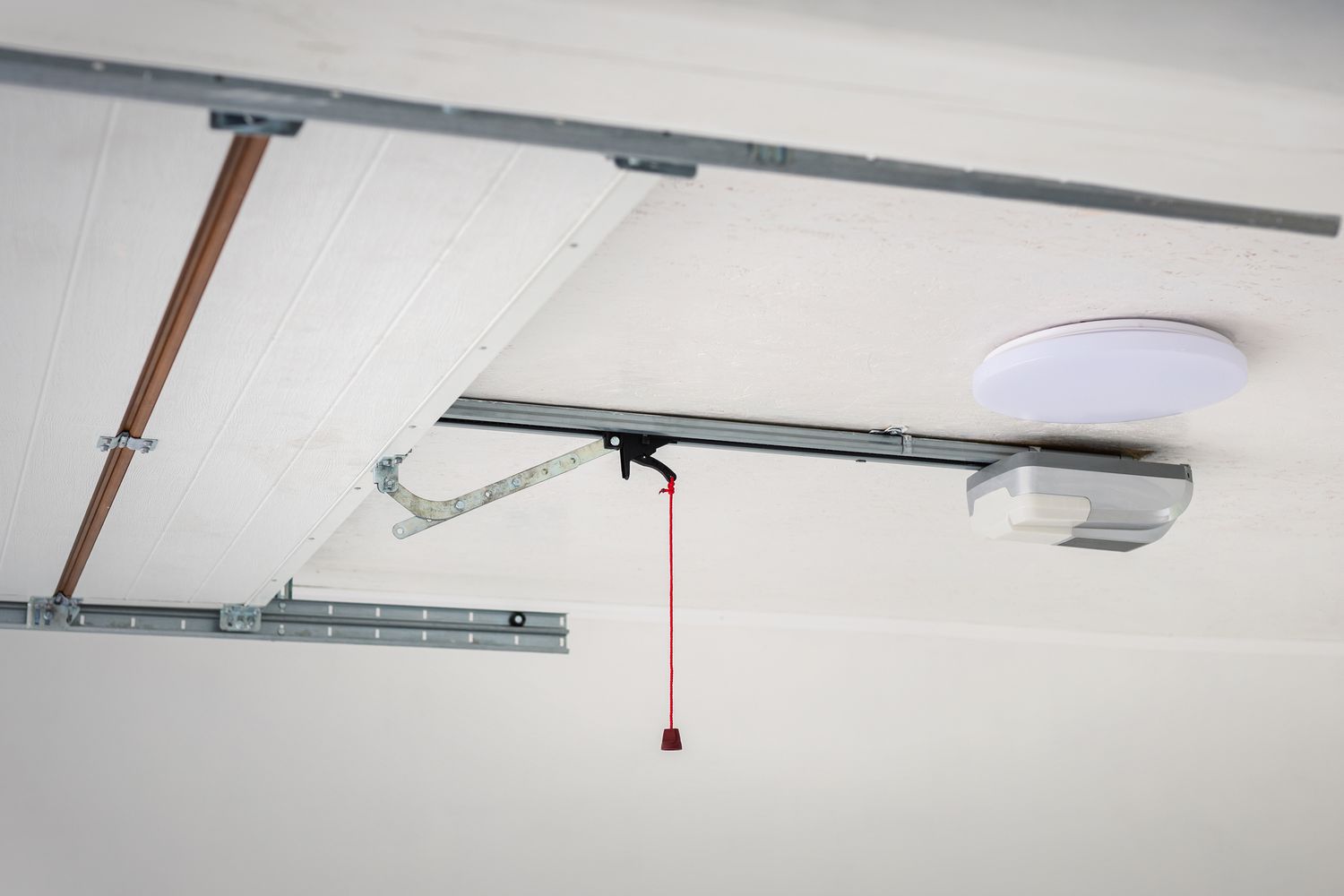
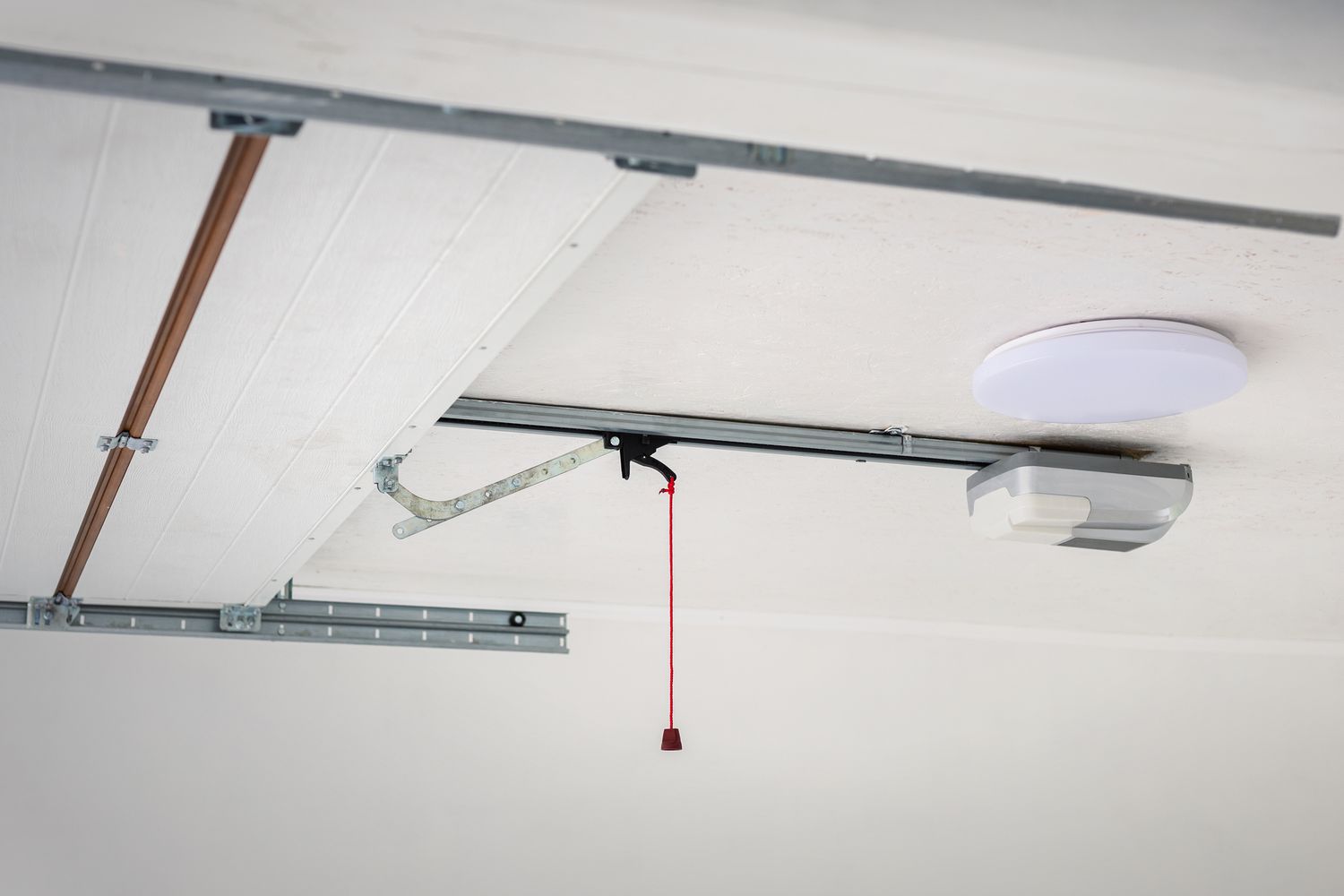
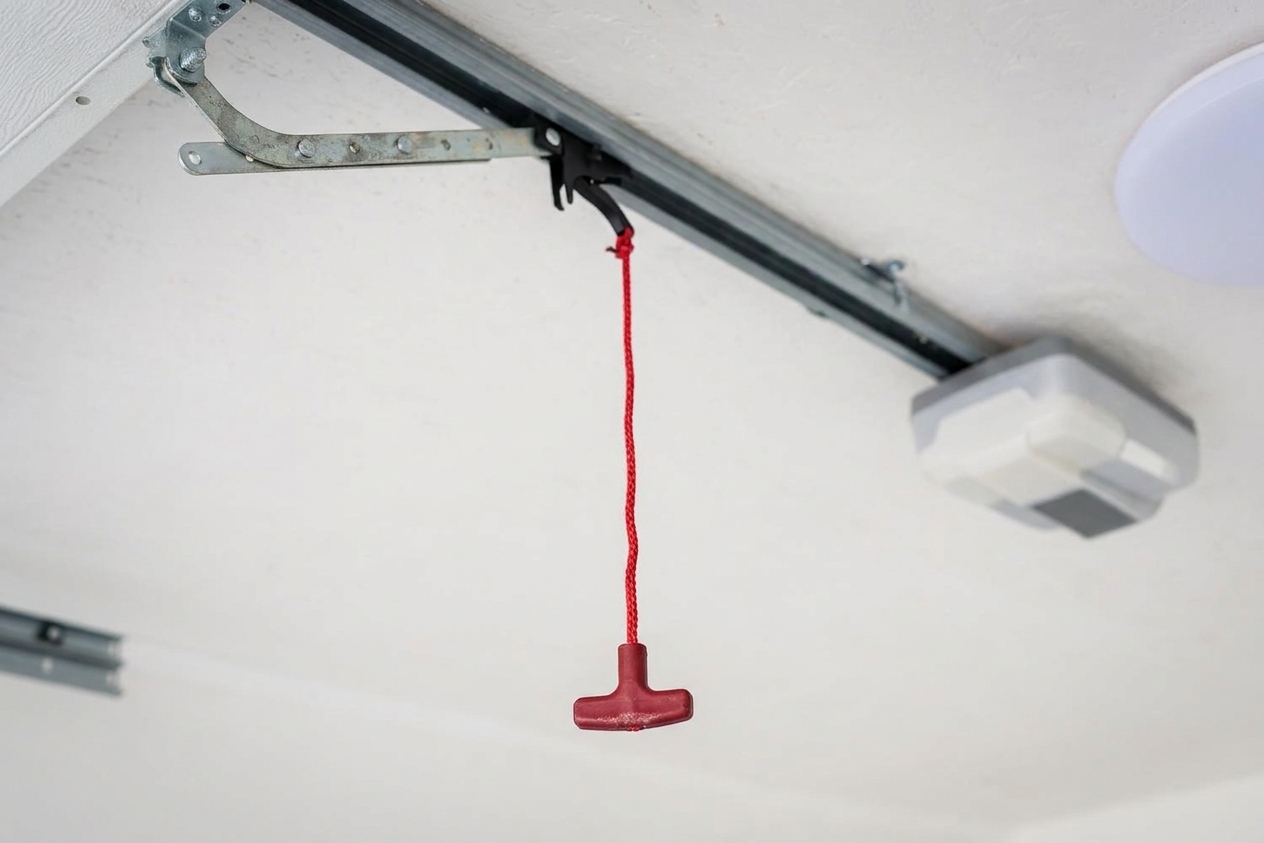
- Pull the red emergency release cord to disconnect the door from the opener carriage.
- Lift the door by hand about halfway and let go carefully.
What the results mean
- Door lifts smoothly and stays near halfway: springs are likely doing their job. The opener or controls may be the issue.
- Door feels very heavy, slams down, or will not stay up: stop. That points to a spring or hardware problem, and that is a pro repair.
- Door barely moves or scrapes: check for debris in the tracks, a bent track, or a stuck roller. Do not force it.
If your door is frozen to the slab in winter, gently chip away ice along the bottom seal and use a safe de-icer. Do not keep hammering the remote. The opener is strong, but it is not a snowplow.
Bonus: Limits and force settings
If the opener runs but the door stops short, reverses, or closes and immediately pops back up, you might be dealing with travel limits or force settings. These controls tell the opener how far to move the door and how much resistance is too much.
Use caution: Adjusting force too high can be dangerous. Many modern openers limit force adjustments and instead rely on a guided setup to relearn travel. If you are not confident, this is a good point to schedule service.
What you can check
- Look for limit adjustment dials or buttons on the opener housing (often labeled Up/Down or Travel) or follow your model’s digital setup steps.
- If you recently replaced a roller, hinge, or weather seal, confirm nothing is rubbing hard at the floor or header.
- If your opener is newer with digital setup, follow the manufacturer’s steps to relearn travel.
If your door will not close and the opener lights flash, check the opener label or manual. Many units flash a pattern that points to sensors, wiring, or travel issues.
Also check: LED bulb interference
If your remote suddenly has terrible range or only works when you are right under the opener, the culprit can be the light bulb in the opener. Some LED bulbs create radio interference that can drown out the remote signal.
- Try removing the bulb temporarily and test the remote range.
- If that fixes it, swap to a garage-door-opener-compatible LED (or a standard bulb type recommended by your opener manufacturer).
Smart opener app issues
If the wall button and remotes work, but the phone app does not, the opener is usually fine. The issue is more likely Wi-Fi, the router, or the opener’s smart hub.
- Confirm your phone has data or Wi-Fi.
- Reboot the router if the whole house Wi-Fi is acting up.
- Check the opener app for an offline status, outage, or a logged-out session.
When it is time to call for service
I am all for DIY, but garage doors are one of those systems where a small “nope” can be the smart move. Call a pro if you notice any of the following:
- The door is heavy, will not stay open, or drops quickly when disconnected.
- You see a broken spring (often a visible gap in the coil) or a frayed cable.
- The opener hums but will not move the door, especially if it smells hot or trips the breaker.
- The track is bent, rollers are off-track, or the door is visibly crooked.
- You have tried the checks above and the opener is still nonresponsive.
When you call, tell them what you tested. Saying “wall button works but both remotes do not” or “one sensor light is blinking” helps a tech show up with the right parts the first time.
Quick cheat sheet
- Nothing works at all: power, breaker, GFCI, outlet, opener failure.
- Wall button works, remote does not: remote battery, lock mode, reprogram remote, LED bulb interference.
- Will not close: safety sensors blocked or misaligned.
- Moves a little then stops or reverses: sensors, binding door, travel limits, setup recalibration.
- Door is heavy by hand: spring or cable issue, call a pro.
If you want to make your future self very happy, keep a couple of coin batteries in the junk drawer and give your sensor lenses a quick wipe every few months. It is the DIY equivalent of eating your vegetables.